Setting up your Free License Key for Menu Gadget 1.2.0
We have now made Related Filter Gadget, now renamed to Menu Gadget, Free!
We would like to thank you for installing Menu Gadget!
Please follow the following steps configure your Free Menu Gadget
- Login as a Jira Administrator
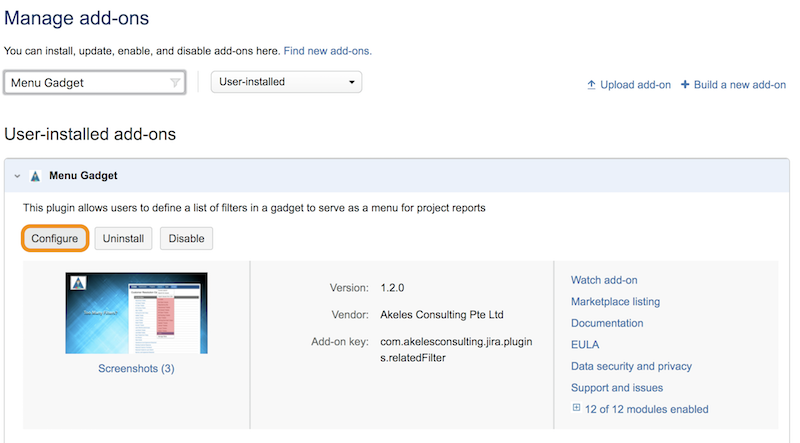
- Navigate to the UPM
- Search for Menu Gadgets
- Click on Configure
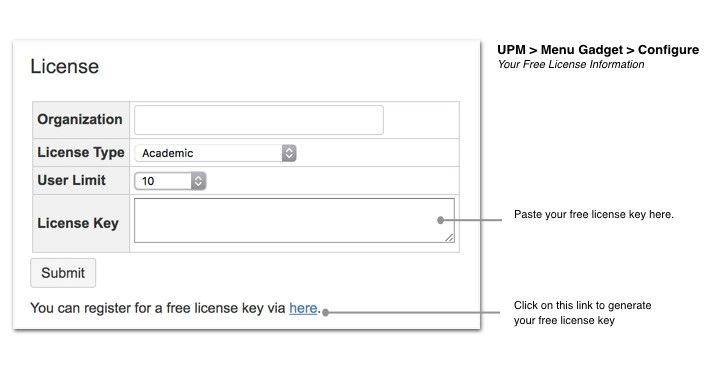
- Get your free license key with the link shown below
Fill up the form
Please select Menu Gadget under Add Ons to generate your free license key
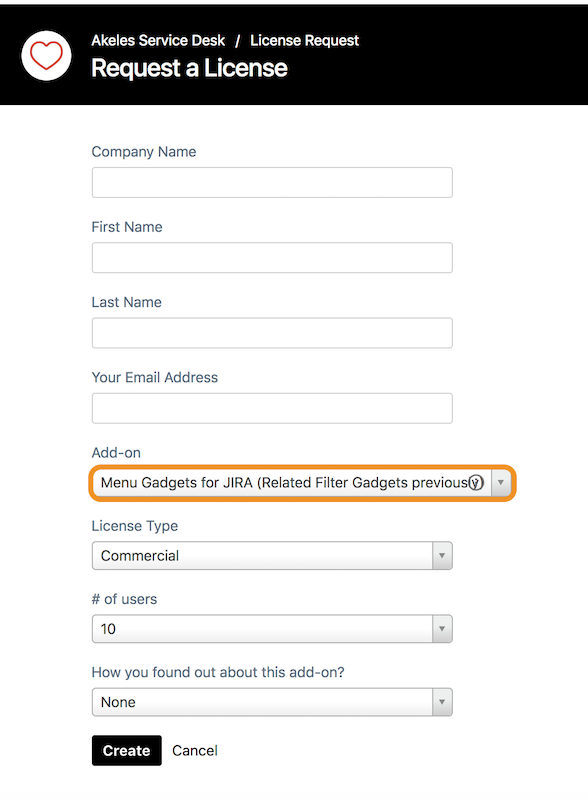
Click on Create to generate your Free License Key
- Paste your free license key into the UPM (Step 5) and click on Submit
Do write us a review and we are always open to suggestions and roll out new features.