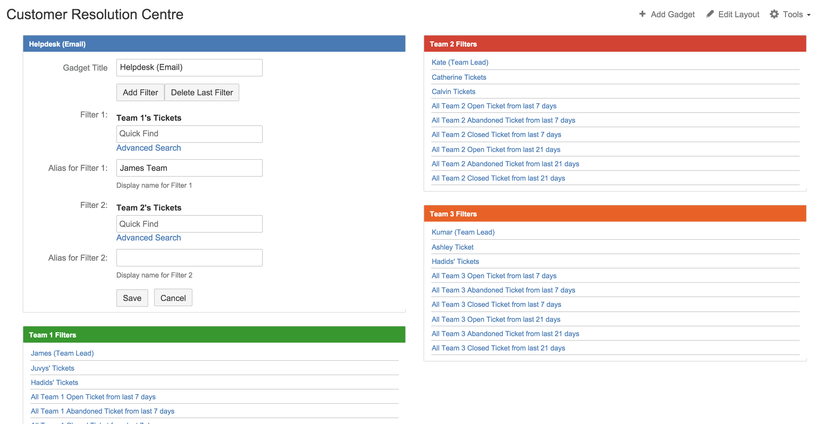
Adding Filter Menu Gadget
The Filter Menu Gadget provides you with the ability to organise your Jira filters on the Dashboard for yourself and your users.
Adding a New Filter Menu Gadget to Dashboard
Step 1: Inserting Filter Menu onto your Dashboard
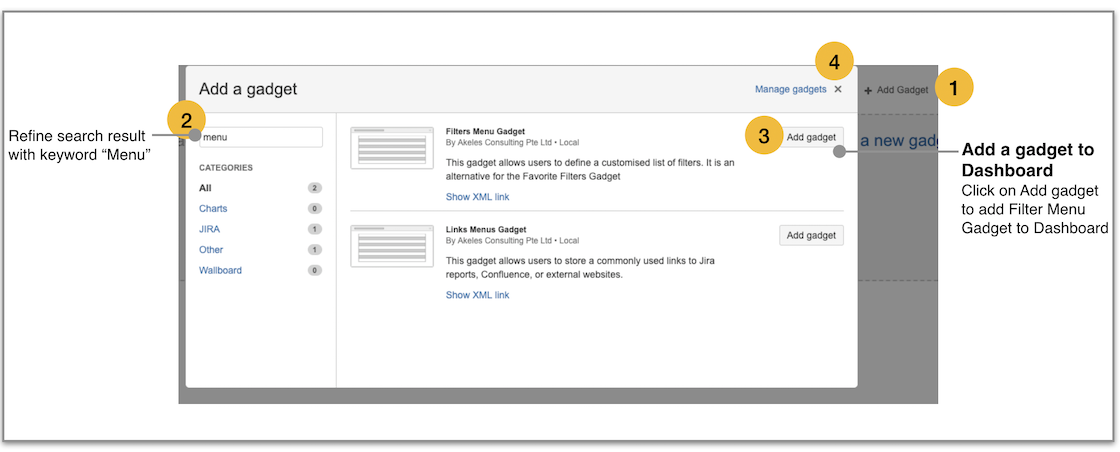
To add Links Menu Gadget to your dashboard,
Click on Add Gadget to the dashboard you wish to place the gadget in
Enter "Menu" in the search box
Click on Add Gadget to add Filters Menu Gadget
Click on X to close Add Gadget Model Box
From v.1.2.0,
If the gadget is not shown, please check if have finished setting up your free license key for Menu Gadget
Step 2: Adding Filters
The setting configuration for Links Menu gadget
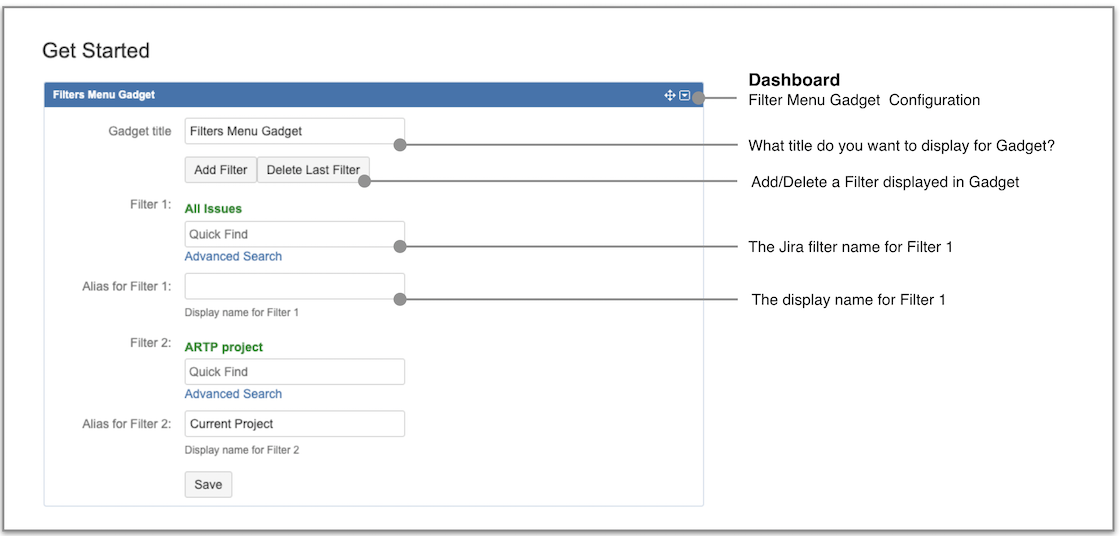
Once you click on Save, your filter menu has been created
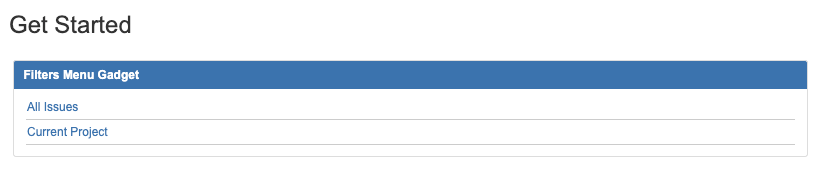
Step 3 (Optional) : Creating Menu Themes
Customise your menus with filter alias and gadget titles